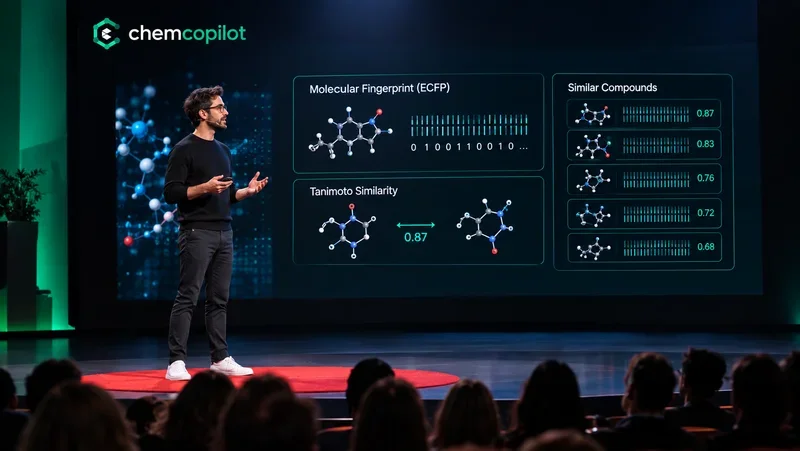
ChemCopilot AI Lab Agent
Historical Experiment Data.
Historical Experiment Data.
Into Predictive AI Models.
Upload your experimental data and let the AI Lab Agent make the job. Chat with your results, visualize them in 3D, and get predictions for scenarios you haven't run ye.
Try the AI Lab AgentNo credit card required · 14-day free trial
Why ChemCopilot
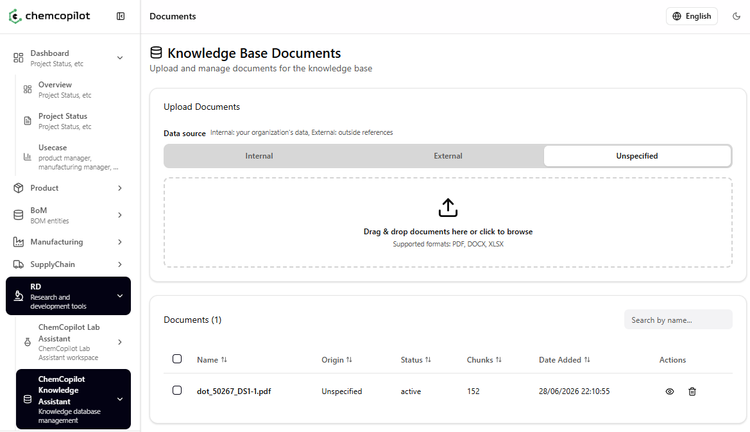

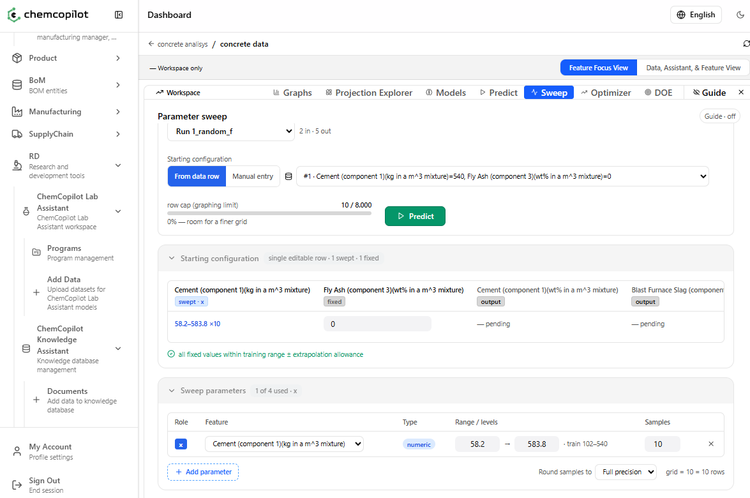
Operational in 3 steps. No disruption to your existing process.
Leverage your data to get AI-driven insights in a matter of minutes.
1
Ingest your data
2
Visualize & model
3
Run AI simulations
Inside the AI Lab Agent
Everything you need — in one place
Get a Free Trial Period
Be the first. Stop guessing which trials to run. Predict outcomes with AI before moving to the physical bench and get a 14-day free trial.
FAQ
Questions R&D teams actually ask
Everything you need to know before you upload your first dataset.
It's a workspace where R&D teams turn their own data, experiments, and research into a predictive model — then chat with it, visualize it in 3D, and use it to plan what to test next. No data science background required.
Your specs, articles, and past experiments are what fill and train the model — not random guessing. Once trained, the AI Lab Agent ranks which conditions are most likely to work, so you choose the most promising ones to test first instead of spending weeks running experiments at random in the lab. A Design of Experiments that traditionally needs 48 runs is often narrowed down to 5–8 high-confidence experiments.
Yes — you can upload papers, patents, or internal reports and the Knowledge Assistant will use them to inform predictions, and even help generate a Design of Experiments from them. You're responsible for making sure you have the rights to any article or document you upload — ChemCopilot doesn't claim ownership of your content, but please respect copyright and your organization's IP policies.
Yes — to train a model, the AI Lab Agent needs your input and output variables: the conditions you tested and the results you measured. You train the model yourself, on your own data, hosted securely on Amazon Web Services infrastructure. We never use your data to train models for other customers.
It's about quality, not quantity. You can start with formulation specs, measured outputs, research articles, old experiments, or even historical production variables — there's no minimum row count. The more relevant and accurate your inputs, the better the model's predictions.
ChemCopilot connects to common ELNs and lab data systems, and offers a REST API for custom workflows. Enterprise plans add ERP integration, so predictions and experiment data can flow directly into your existing systems.
Yes. The free trial gives you 14 days of full access — upload your own datasets, run in silico experiments, and test the AI Lab Agent. No credit card required. Pro and Enterprise plans unlock pLM tools, digital twin, ERP integration, and team features.
Read More about Chemistry and AI
Featured