What is Canonical SMILES? How to use and 2026 News
Author: Jonathan Woo | Chief Product Officer, ChemCopilot
Category: Cheminformatics & Molecular Modeling | Data Thread Architecture
Last Updated: September 2026
About the Author: Jonathan Woo is the Chief Product Officer at ChemCopilot. Former VP of Product at Noble.AI, Co-founder/CTO at Nanostellar (Quantum Simulation & Catalysts), and NASA/Harvard ACIS Software Team Leader. Over 25 years pioneering enterprise SaaS, deep-tech AI architectures, and automated materials modeling.
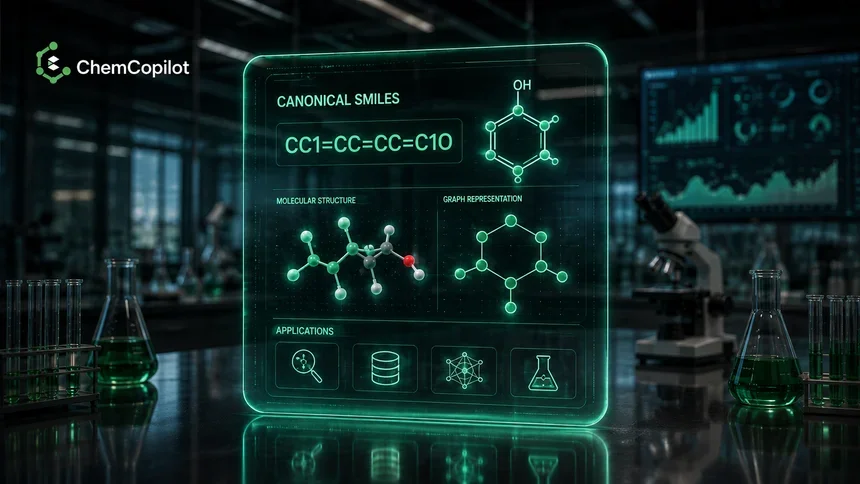
In the world of cheminformatics, a SMILES (Simplified Molecular-Input Line-Entry System) string is essentially a 2D chemical structure translated into a single line of human- and machine-readable text.
However, because a computer algorithm can start traversing ("drawing") a molecular graph from any arbitrary atom, a single static molecule like ethanol can be validly represented as CCO, OCC, or C(O)C. When scaling chemical databases to millions of compounds, this structural ambiguity becomes a major operational friction point. That is where Canonical SMILES becomes essential.
The Data Standardization Paradigm
Raw/Standard SMILES (Ambiguous Traversals): Multiple valid text representations for a single compound (OCC vs. CCO). Causes duplicated inventory in LIMS, broken database indexing, and confused AI feature vectors.
Canonical SMILES (Unified Digital DNA): A mathematically unique, deterministic string generated via canonical graph traversal algorithms. Guarantees 1:1 parity between chemical structure and database primary keys.
1. What is Canonical SMILES?
A Canonical SMILES is a unique, standardized version of a SMILES string generated by a deterministic algorithm (such as Weininger’s canonicalization or the CANGES algorithm). It ensures that regardless of how a scientist originally draws or inputs a molecule, the software always evaluates and outputs the exact same string of characters.
Standard SMILES: OCC (Valid, but non-unique representation)
Canonical SMILES: CCO (The single, official text representation derived by the algorithm)
Think of canonicalization as an alphabetical sort for atomic connectivity trees. It eliminates topological ambiguity, ensuring that every scientist, computational script, and database record across an enterprise refers to the exact same molecular entity.
2. How to Generate and Utilize Canonical SMILES
In modern digital laboratories, scientists rarely write canonical SMILES by hand—they rely on automated cheminformatics toolkits and cloud platforms to handle string parsing behind the scenes.
A. Automated Generation
Leading computational toolkits (such as RDKit, Open Babel, OpenEye, and ChemDraw) possess built-in canonicalization routines:
Input: A scientist draws a structure in a GUI, uploads a 2D MOL file, or pastes a non-standard SMILES string.
Graph Traversal: The underlying toolkit re-indexes the atom nodes based on symmetry, atomic number, valence, and bond order.
Output: The software outputs a unified, canonicalized string.
B. Searching & Database Indexing
When querying global public repositories like PubChem or ChEMBL—or searching an internal enterprise LIMS/PLM database—queries execute via Canonical SMILES. This guarantees that a compound is instantly retrieved even if the original uploader drew the molecule "upside down" or started the bond tree from a different functional group.
3. Why Canonicalization is Critical for Industrial R&D and AI
Without canonicalization, digital chemistry operations break down at scale. For enterprise R&D directors and computational teams, canonical SMILES delivers four core technical advantages:
1. Database Deduplication
If an enterprise chemical library contains 1,000,000 raw formulation logs, identifying duplicate compounds manually is impossible. Converting every entry into a Canonical SMILES string reduces duplicate identification to a simple, sub-millisecond string comparison ($O(1)$ hash table lookup).
2. Machine Learning Consistency
Artificial intelligence and surrogate ML models require consistent input representations. If a predictive model receives CCO for one training row and OCC for another, a standard text or tokenization layer may treat them as distinct inputs, corrupting the feature matrix and causing non-linear predictions ("Activity Cliffs"). Canonicalization guarantees clean, identical vector featurization.
3. Computational Velocity and Lightweight Storage
Comparing two 3D coordinate files (such as STEP, PDB, or MOL2 formats) requires computationally heavy geometric alignment algorithms. Comparing two Canonical SMILES strings requires checking a few bytes of text. SMILES provides the most memory-efficient, high-velocity format for storing and screening multi-million compound virtual libraries.
4. Canonical SMILES vs. InChI / InChIKey
While Canonical SMILES is the standard for high-speed software processing, different cheminformatics vendors occasionally employ slightly different canonicalization rules (e.g., RDKit canonical SMILES vs. Daylight canonical SMILES). For a completely universal, vendor-independent IUPAC standard, scientists pair Canonical SMILES with the InChIKey—a fixed 27-character digital hash designed for web-scale search indexing.
| Feature | Canonical SMILES | InChI Key |
|---|---|---|
| Readability | Human-readable (mostly) | Total gibberish |
| Uniqueness | Depends on the software | Globally unique |
| Best for | Fast searching & AI | Permanent database records |
2. How to Use It (The ChemCopilot Way)
Traditionally, you needed complex coding libraries to handle SMILES. ChemCopilot simplifies this by acting as a translation layer (incomming Features):
Draw-to-Code Translation: With the new launch, you can physically draw a structure on a digital canvas. ChemCopilot automatically translates that sketch into a precise Canonical SMILES string.
Instant Visualization: If you have a string of code (SMILES), ChemCopilot renders it into a high-fidelity 2D or 3D visual.
System Integration: It bridges the gap between a chemist’s "visual" mind and a computer's "code-based" requirements, making it easier to prepare data for lab automation or AI modeling.
3. Why is it Important?
Without canonicalization and tools like ChemCopilot, digital chemistry is prone to error:
Deduplication: ChemCopilot ensures that if you draw the same molecule twice from different angles, the system recognizes them as identical.
Accessibility: You no longer need to be a "SMILES expert" to generate clean code; the drawing interface handles the syntax for you.
Machine Learning Ready: By providing consistent, canonicalized data, ChemCopilot prepares your chemical libraries for advanced AI training without manual cleanup.
| Feature | Standard SMILES Tools | ChemCopilot |
|---|---|---|
| Input Method | Manual Text Entry | Drawing + Text |
| Visuals | Often Static / Basic | Dynamic Visualization |
| Consistency | Varies by library | Unified Canonicalization |
| Coding | Requires Python/C++ knowledge | Automatic Code Translation |
Canonical SMILES remains the true "DNA" of digital chemistry—a compact, hyper-efficient format designed to translate complex physical matter into structured digital data. However, the true value of this format is unlocked only when it is seamlessly accessible across every level of an enterprise laboratory.
With platforms like ChemCopilot, the barrier between a scientist's visual intuition (drawing a molecule at the bench) and a machine's quantitative logic (running zero-code active learning models) is removed. By providing a unified software layer that visualizes, canonicalizes, and featurizes chemical structures in real time, ChemCopilot transforms SMILES from a cryptic string of characters into an active engine for industrial innovation, collaboration, and discovery.
🚀 Streamline Your Cheminformatics Pipelines with ChemCopilot
Ready to automate molecular canonicalization, virtual formulation sweeping, and zero-code machine learning across your R&D workflows? Connect with Jonathan Woo and our solutions engineering team to evaluate ChemCopilot on your proprietary datasets under enterprise-grade IP protection.
Schedule a Private Enterprise Demo & ROI Assessment | Start Your 14-Day Free Commercial Lab Trial